Windows
Build .exe and Setup installers
For Windows 10/11 hosts. Compile standalone or one-file executables, then package them with Inno Setup when you are ready to distribute.
.exestandaloneonefilesetup
Nuitka Studio brings build modes, packaging, app identity, logs, and native CI into one focused desktop workspace—so you can spend more time shipping and less time reconstructing compiler flags.
Desktop releases
Use the published release for your host platform. Every build stays native to the operating system that produces it.
Windows
For Windows 10/11 hosts. Compile standalone or one-file executables, then package them with Inno Setup when you are ready to distribute.
Linux
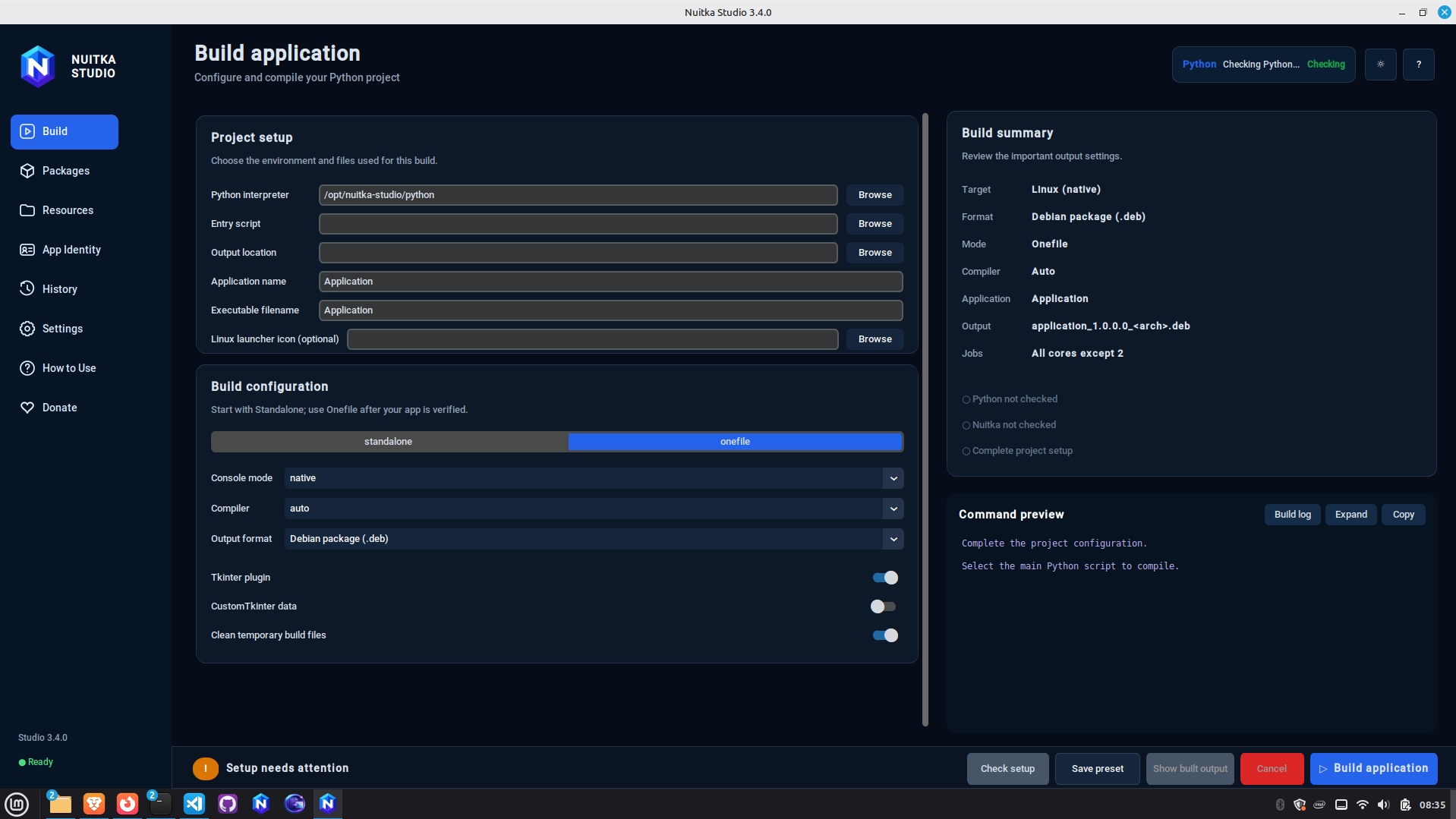
For Debian-based Linux hosts. Produce native standalone or one-file applications and package distribution-ready `.deb` artifacts.
Looking for another artifact or release? Browse all GitHub Releases.
What the workspace handles
Configure the project visually, preview what will be built, and keep packaging tasks connected to the same application identity.
Build configuration
Select the interpreter, entry point, output mode, plugins, packages, resources, and runtime options without rebuilding a long command by hand.
App identity
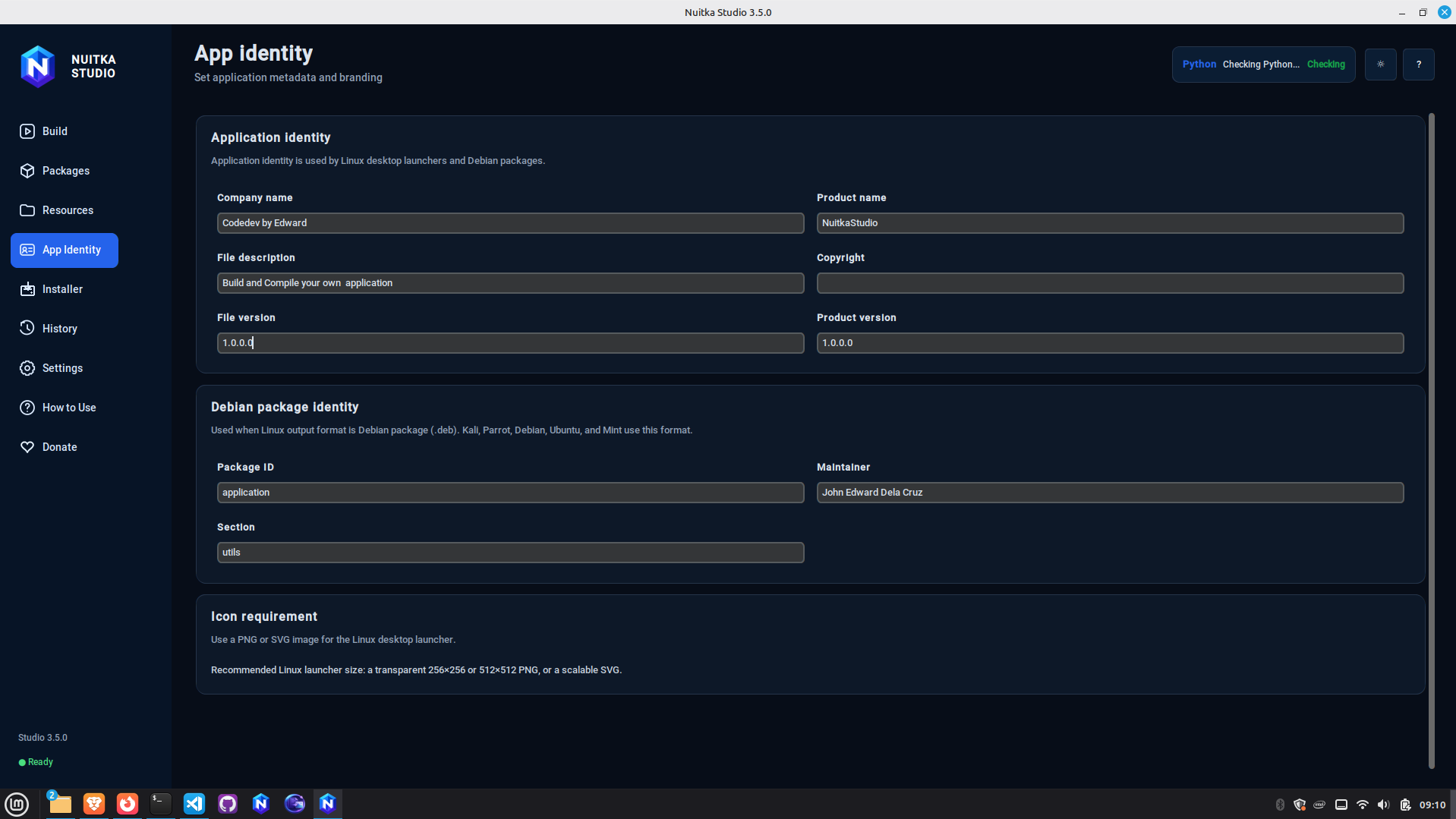
Manage application name, version, company metadata, icons, and package identity from one screen.
Live output
Follow phase-aware progress and live logs, inspect errors, and cancel safely when a build needs attention.
Native CI
Generate GitHub Actions workflows that build Windows and Linux artifacts on their native hosted runners.
Project isolation
Keep entry scripts, resources, packages, and application settings scoped to the project you are actually compiling.
A safer build flow
Nuitka Studio encourages a practical workflow: prove the standalone build, then move to one-file or installer packaging after the application works correctly.
Read the full project workflow →Build with the environment that actually contains your dependencies.
Choose the entry script, packages, resources, plugins, and output folder.
Validate the standalone application before adding packaging complexity.
Move to one-file, Windows Setup, Debian package, or native CI artifacts.
Desktop interface
The website stays blue because the desktop product is blue—but the redesign uses the color as hierarchy and state, not as decoration everywhere.
Native output model
Nuitka Studio does not rename or emulate binaries from another operating system. Cross-platform CI uses native GitHub-hosted runners for each target.
Run from source
Python 3.10 or newer is required. Platform build dependencies still apply when you compile native applications.
$ git clone https://github.com/delacruzedward735-hash/NuitkaStudio.git
$ cd NuitkaStudio
$ python3 -m venv .venv
$ source .venv/bin/activate
$ python -m pip install --upgrade pip
$ pip install -r requirements.txt
$ python run.py
> git clone https://github.com/delacruzedward735-hash/NuitkaStudio.git
> cd NuitkaStudio
> python -m venv .venv
> .venv\Scripts\activate
> python -m pip install --upgrade pip
> pip install -r requirements.txt
> python run.pyIndependent community project
Nuitka Studio is maintained by John Edward Dela Cruz. It is a community-built frontend and is not affiliated with, sponsored by, or endorsed by the official Nuitka project.